How Healthcare Software Helps Clinics Manage Daily Operations
In today’s clinics, streamlining daily operations is an extremely critical task. Clinic staff process patient registration, appointments, medical records, prescriptions, bookkeeping, payment collection, staff scheduling, patient communication, and countless other miscellaneous tasks every single day. If all these tasks are handled manually, even the simplest trivial matter will consume a great deal of time. For example, front desk staff have to flip through paper appointment books to verify times, nurses must search through piles of files to find a patient’s information, and doctors have to wait for previous medical records to be delivered before they can start seeing the next patient. Choosing the right healthcare software allows daily affairs to be processed faster, reduces repetitive administrative work, makes patient information accessible at any time, and lets clinic managers clearly control every step of daily operations. But not all clinics need the same software. Small clinics do not need advanced functions only used by large hospitals, and expanding clinics cannot choose an overly basic system—otherwise, in just a few months, its functions will fail to keep up with demand, and money will be wasted for nothing.
What Is Healthcare Software
Healthcare software is a digital tool that helps clinics and medical institutions handle all aspects of clinical, administrative, financial, and operational work. Software developed by different service providers and for different types of medical institutions has varying functions. Some platforms only focus on electronic health records as their core, while other systems package core functions such as patient management, appointment scheduling, billing and payment collection, communication, and report analysis all into the same platform.
Core Clinic Management Functions

Patient registration
Appointment scheduling
Electronic medical records
Clinical record organization
Prescription management
Billing and payment
Staff scheduling
Patient communication
Automated reminders
Reports and analysis
Laboratory integration
Patient portal
Electronic forms
Not every clinic needs to use all these functions. The core goal of choosing software is to select one that supports the actual workflow of your own clinic, avoid spending extra money on unused functions, and avoid unnecessarily adding complexity.
Why Efficient Daily Operations Are Important
A clinic’s operational efficiency directly impacts patients’ care experience. If internal work is not streamlined, patients will also encounter various troubles. Problems such as excessively long wait times, appointment errors, being repeatedly asked for the same information, delayed billing, and inability to locate old medical records will greatly reduce patients’ satisfaction with the clinic. Healthcare software sorts out various daily processes of the clinic, allowing information to flow smoothly between different departments and different staff members. For example, when a patient arrives at the clinic, the front desk can directly confirm the appointment in the system, open the patient’s personal file, and quickly retrieve all required information, without having to flip through different paper files or separate spreadsheets to verify every detail.
First Step: Analyze Your Existing Clinic Workflow
Before purchasing healthcare software, the clinic must first fully understand its existing workflow. Do not place an order just because the software has a trendy interface or many functions. If you cannot even sort out your current processes, you will never be able to judge what practical problems the new software can actually solve. You must sort out the entire patient visit process from start to finish: from the patient’s first contact with the clinic to appointment, registration, consultation, testing, payment, and follow-up visits; the entire process must be clarified. You also need to figure out how staff currently manage appointments, how they collect patient information, how doctors record consultation content, and how the billing process works.
Manage Patient Appointments More Efficiently
Appointment scheduling is one of the most frequent administrative tasks in clinics. Staff must constantly monitor doctors’ available consultation slots, already booked appointments, canceled appointments, and remaining bookable time slots, updating and adjusting at any time. Healthcare software organizes all appointment information into a digital scheduling system. Staff only need to look at the available time slots displayed in the system to schedule appointments for patients. Some systems also support patients in applying for or booking appointment times online themselves.
Unified Appointment Scheduling
First, let’s talk about the appointment scheduling work that clinics handle every day. If it is recorded manually in notebooks or scattered across different calendars, it is easy to become disorganized. Healthcare software can organize all appointment information into the same digital scheduling system, gathering all information in one place. Staff can view all doctors’ free time slots, booked time slots, canceled appointments, and remaining open appointment slots all in one interface. These vacated time slots can be directly used to arrange suitable consultation times for patients without having to check notebooks one by one, making daily scheduling work much easier to manage.
Online Appointment Function
In addition to staff manually booking times for patients, some medical systems also support patients in applying for or booking consultation times online. Patients do not have to call to make an appointment during the clinic’s working hours; they can log into the system to view available time slots and choose a suitable time to book on their own. This way, staff do not have to stay by the phone to manually process a large number of appointment requests, saving a lot of effort. Online appointments also make it more convenient for patients to arrange their visits without having to wait for a reply according to the clinic’s business hours.
Reduce Scheduling Conflicts
The most common mistake in manual scheduling is time conflicts, and a centralized, unified scheduling system can reduce the probability of problems such as double bookings, time conflicts, and missed appointments. If a patient needs to change their consultation time temporarily, staff do not have to search through several registration books and different calendars to make changes; they only need to update the information in this unified system, without manually modifying the same matter across multiple calendars. Appointment management becomes more organized and efficient.
Send Automated Appointment Reminders
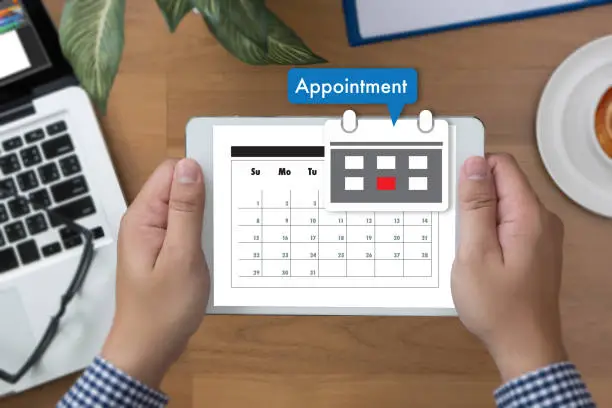
Another headache for clinics is no-show patients, which directly disrupts the clinic’s schedule, leaves unnecessary empty slots, and wastes consultation time that could have been used for other patients. To reduce no-shows, staff also have to spend a lot of time calling and messaging each patient to confirm their appointments, and repetitive communication takes up a great deal of time. Healthcare software can provide an automated appointment reminder function; the system sends upcoming consultation reminders to patients through supported communication channels. This not only helps patients remember their appointments but also reduces the burden on administrative staff of repeatedly doing communication work.
Reduce Duplicate Patient Files
If multiple files are created for the same patient in the system, it will cause a lot of unnecessary chaos for the clinic; information cannot be found when needed, and important medical history may be missed. For example, if the same patient’s name is spelled differently, the system may generate two independent files, and these errors, which are easy to make with manual entry, can be avoided in advance with software. The right healthcare software will come with search and duplicate file detection functions to help staff find existing patient records. This organizes patient information more neatly and reduces the risk of creating unnecessary duplicate files.
Optimize Clinical Documentation Work
Doctors and medical staff must accurately record every patient consultation, which is not only responsible for the patient but also a requirement for the clinic to operate in compliance with regulations. Traditional paper records rely on handwritten notes, which are sometimes illegible, requiring other doctors to guess when they need to read them later; they are also difficult to organize for storage and easy to lose. Healthcare software provides doctors with structured clinical templates; instead of writing notes in a notebook, doctors can directly enter consultation notes, diagnosis results, treatment plans, medication information, and other relevant details into the patient’s electronic file, which is stored securely and is easy to read. But the core purpose of the software is to simplify documentation work; if it is poorly designed, it will instead cause more trouble. If a doctor has to navigate multiple screens and click many useless buttons to complete a simple clinical note, the system will not speed up work but instead slow down the work rhythm.
Customize Clinical Templates
Not all clinics have the same documentation needs; different clinics have different recording requirements, and a template suitable for a large hospital is completely useless for a small clinic. A general family medicine clinic only needs to record basic general practice medical information, while a specialist clinic may need specific clinical columns and templates; for example, the oral conditions that a dental clinic needs to record are not included in the template for a general practice clinic. Some healthcare software supports custom templates, forms, columns, and workflows, allowing the clinic to organize records according to its actual working methods, instead of forcing a template that does not fit its processes. However, excessive customization can also cause problems; making too many changes will make the system complex. What was originally intended to simplify work ends up requiring staff to spend time adapting to messy settings, and also drives up maintenance costs. Therefore, customization should only be used to support core workflows, not changed randomly.
Manage Prescription and Medication Information
In addition to diagnosis and treatment records, medication management is also an important part of daily clinical work; prescribing medications must not involve any mistakes. Before writing a prescription, a doctor must first verify the patient’s relevant medication history to avoid prescribing conflicting drugs, and the clinic must properly store past medication and prescription records for easy retrieval during future follow-up visits. Healthcare software can store medication information in the patient’s digital file; depending on the platform’s functions and applicable requirements, some systems also support electronic prescribing, eliminating the need to handwrite prescriptions and worry about illegible handwriting. Digital medication records allow authorized medical staff to easily view previous prescriptions and medication history without having to search for old paper prescriptions.
Simplify the Billing and Payment Process
Billing is an important part of a clinic’s daily administrative work; charging the wrong amount or omitting a bookkeeping entry will directly affect the normal operation of the clinic. Staff must record the services provided, create bills, process payments, and track outstanding fees; every step must be error-free. Depending on the system’s functions, healthcare software can link billing information with patient and appointment records, eliminating the need to manage billing separately from appointments and patient information, which would cause confusion and make it impossible to trace the source. Staff no longer need to keep separate paper records or create spreadsheets; they can digitally record services and payments directly in the system. This centralized billing system helps staff clarify which appointments have been paid for, which patients have outstanding balances, and the clinic’s revenue over a period of time without having to calculate for a long time against a pile of bills.
Improve Internal Staff Communication
Different staff in the clinic are responsible for different work, and everyone needs different information; if communication is poor, it is easy to delay work. Doctors need clinical information, nurses need to understand treatment details, the front desk manages appointments, and billing staff handles financial matters. In the past, information was scattered in different places, so to find anything, you had to ask colleagues one by one, wasting a lot of time. Unified healthcare software allows authorized staff to retrieve the information required for their scope of responsibilities without repeatedly asking other colleagues; they can check anything they need in the system. With smoother information retrieval, internal communication improves, and unnecessary delays in daily work are reduced.
Optimize Communication with Patients

Many people think that communication with patients is finished once an appointment time is booked, but that is not the case; communication with patients is not just about appointment registration; there are many follow-up notifications to send. The clinic also needs to send patients appointment confirmations, reminders, follow-up information, electronic forms, and other important messages. If a pile of messages is mixed up or missed, it is easy to cause patient dissatisfaction. Healthcare software organizes this communication in a more organized way; depending on the platform’s functions, the clinic can send messages via encrypted messaging, email notifications, SMS reminders, or the patient portal without having to switch between several tools to send different messages. A centralized communication system helps staff better manage patient requests and messages, reducing the risk of missing important communication content.
Appointment-Related Communication
Even communication related to appointments does not end once a time is booked; communication with patients is not just about appointment registration and confirmation; reminders are also very important, and missing any step could cause problems. Healthcare software helps the clinic efficiently send appointment details and follow-up information to patients; staff can timely pass important updates to patients, reduce misunderstandings related to appointments, and reduce the probability of missing information, so patients do not make a wasted trip because they did not receive a message.
Digital Communication Channels
There is no need to stick to phone calls to communicate with patients; depending on the functions built into the healthcare software, the clinic can use encrypted messaging, email notifications, SMS, or patient portal messages to send notifications in a way suitable for different patients. These digital channels make communication with patients more organized and convenient; all sent messages are recorded; staff can choose the appropriate communication method to deliver relevant information; and patients can easily receive important messages without waiting by the clinic’s phone for notifications.
More Efficient Message Management
Handling all communication with patients in one place is much more reliable than scattering it across mobile phones, notebooks, and different social media; a centralized communication system helps staff better process patient requests and messages. All important messages are stored in the same organized system, which reduces the risk of missing important communication. Staff can view and reply to patients’ questions promptly, making overall communication with patients clearer and more efficient, without worrying about a message being lost and never found.
Provide Online Patient Services
Today’s patients expect medical institutions to provide convenient digital services; more people are willing to book appointments directly online rather than calling the clinic to make an appointment. Healthcare software can implement these patient-centered functions through a patient portal or dedicated online interface; the services supported by different systems vary but generally include online appointments, viewing appointment details, filling out electronic forms, accessing personal health information, obtaining some test results, viewing prescription information, and having secure direct communication with clinic staff. These functions not only convenience patients but also reduce the daily administrative workload of the front desk, allowing them to focus on higher-priority needs of in-clinic patients.
Reduce Paperwork and Manual Data Entry
Paperwork takes up a lot of clinic staff’s time; everyone spends several hours printing forms, manually entering information, copying documents, and organizing files. These repetitive manual tasks not only divert resources that could have been invested in core patient services but also bring avoidable risks to the clinic’s daily operations. Healthcare software alleviates these burdens; its electronic forms, centrally stored electronic medical records, automated reminders, and unified information management functions eliminate most manual work. Reducing manual entry also reduces the probability of handwriting errors that could interfere with patient diagnosis and treatment or administrative processes. However, it should be noted that the reliability of a digital system depends entirely on the quality of the information entered, so staff must still complete standardized verification steps when adding or updating information in the system.
Integrate with Laboratory and Diagnostic Information
Many clinics cooperate with external laboratories and diagnostic institutions to provide diagnosis and treatment services for patients. If test results are received through disconnected independent systems, staff often have to manually transcribe this information into the official patient file, increasing workload and error-proneness. Healthcare software with appropriate integration functions streamlines this process and enables electronic transmission of all laboratory and diagnostic information. Depending on the system’s functions, clinic staff can send electronic test requests to cooperating institutions, receive results directly on the software platform, and automatically bind this information to the corresponding patient’s official file. These connected, smooth processes reduce repeated data entry and allow authorized medical staff to obtain key test results more efficiently, avoiding delays in diagnosis and treatment coordination.
Track Pending Test Results
All clinics must clearly track which tests have been completed and which results are still waiting to ensure patient diagnosis and treatment proceed smoothly. If relying on manual tracking, staff often have to search through scattered records or repeatedly call cooperating laboratories to confirm the status of pending work. Healthcare software solves these inefficiencies by providing a structured organizational framework that tracks all pending test results in one place. This unified system allows staff to quickly mark unfinished processes and complete all necessary follow-up work in a timely manner so that patient diagnosis and treatment do not experience unnecessary delays.
Generate Clinic Reports and Analytical Data
Clinic managers need accurate, real-time data to fully grasp the institution’s operating status and make reasonable operational decisions. Management teams usually monitor a series of core indicators, including monthly patient visit volume, appointment cancellation rate, the most frequently provided services by the clinic, and the institution’s total revenue. Healthcare software can directly use patient and operational information stored on the platform to generate standard reports, simplifying the tracking of this data. Depending on the specific platform, these reports can include a large number of relevant data points: patient volume, appointment status, services provided, payment records, medication information, laboratory work status, staff work efficiency, operational performance, and patient flow. These pre-generated digital reports eliminate the need to manually collect paper files and spend a lot of time calculating in spreadsheets, allowing managers to focus on analyzing data insights instead of spending time organizing data.
Customize Reports According to Clinic Needs
Not all clinics have the same reporting needs; the indicators that one institution uses to support operational decisions may be meaningless to another. For example, a report that provides key references for a large multi-doctor specialist clinic may be completely useless for a small independent family medicine clinic. When evaluating candidate healthcare software, the clinic team must confirm whether the platform’s reporting tools can match their unique needs. Clinics should prioritize systems that provide targeted, useful operational information and avoid platforms that only generate a pile of generic, useless reports that disrupt daily work.
Support Data Backup and Recovery
Critical patient information must never rely on a single physical location or device to ensure it is accessible and undamaged. Paper records, in particular, are at risk of permanent loss due to fire, water damage, theft, or accidental misplacement. Digital medical systems reduce these risks through built-in backup and recovery functions, although specific functions vary by platform and deployment model. Reliable, regularly updated backups allow clinics to fully restore all patient and operational information in the event of unexpected technical problems that would otherwise disrupt normal care. Before finalizing a software selection, the clinic team must ask service providers key questions about backup solutions: how often patient data is backed up, where backup files are stored, and what the step-by-step data recovery process is if the entire system fails.
Optimize Patient Flow
Patient flow refers to all the processes a patient goes through during a clinic visit, including registration, waiting, consultation, testing, payment, and finally leaving. If any link experiences unnecessary delays, it will disrupt the entire clinic’s daily schedule, leading to longer wait times for all subsequent patients, and both staff and patients will be dissatisfied. Healthcare software avoids this chain of delays by managing all aspects of a patient’s visit through a centralized system, organizing appointment and patient details in an orderly manner that all relevant teams can view at any time. For example, the front desk receptionist can mark a patient as checked in as soon as they arrive at the clinic, medical staff can view a real-time list of waiting patients, and managers can monitor the status of all ongoing appointments in the clinic. Specific functions vary across different software platforms, but the core role of these tools is to streamline patient movement and information transfer so the entire clinic’s schedule can proceed normally.
Support the Clinic to Cope with Growing Patient Volume
A workflow that operates smoothly for 50 active patients may become inefficient and unsustainable when the patient base grows to 500. As the number of patients in the clinic increases, the total volume of appointments, medical records, payments, patient messages, and administrative work will grow simultaneously, putting pressure on outdated manual processes or undercapacity digital systems. Healthcare software provides clinics with a scalable digital environment that can accommodate increasing amounts of patient information while keeping all workflows smooth and efficient. Depending on the platform’s functions, growing clinics can also add more system users, new medical staff, additional clinic locations, and new third-party integration features as needs change.
Train Staff Before Full System Launch

Before rolling out any new healthcare software across the entire clinic, all staff must receive complete role-specific training to use the platform effectively. Even the most advanced, fully featured software cannot improve daily operations if frontline staff cannot operate its tools and complete core work efficiently. Training must match each team’s unique job responsibilities; do not waste time on irrelevant functions. For example, doctors may need to focus on learning to use clinical record tools, nurses need to learn the patient reception and treatment process, front desk staff must master registration and appointment scheduling functions, and billing staff must deeply learn the platform’s payment and reimbursement processes. Before the system is officially launched for all patients, it is also very useful to allow all staff to practice daily common operations in a test environment. This practice period reduces staff confusion and allows the team to identify and resolve unexpected process issues long before the system is fully implemented.
Conclusion
Healthcare software can indeed help clinics manage daily operations in a more organized and efficient manner. From appointment scheduling and patient registration to electronic medical records, billing, internal communication, report generation, and staff scheduling management, these digital tools bring most of the clinic’s daily work into a unified system, eliminating the need for everyone to flip through a pile of paper notebooks and open seven or eight scattered spreadsheets to work. In short, the core role of healthcare software is to reduce the burden on the clinic’s daily work, not to add chaos. A suitable system must match the clinic’s actual operating conditions, support the frontline staff who use it every day, and scale with the clinic’s future development, so it will not fail to meet the needs after a year or so. As long as it is chosen and used correctly, healthcare software can provide solid support for the clinic, helping everyone build a more orderly, efficient, and truly patient-centered operating model.